Keep batch details together
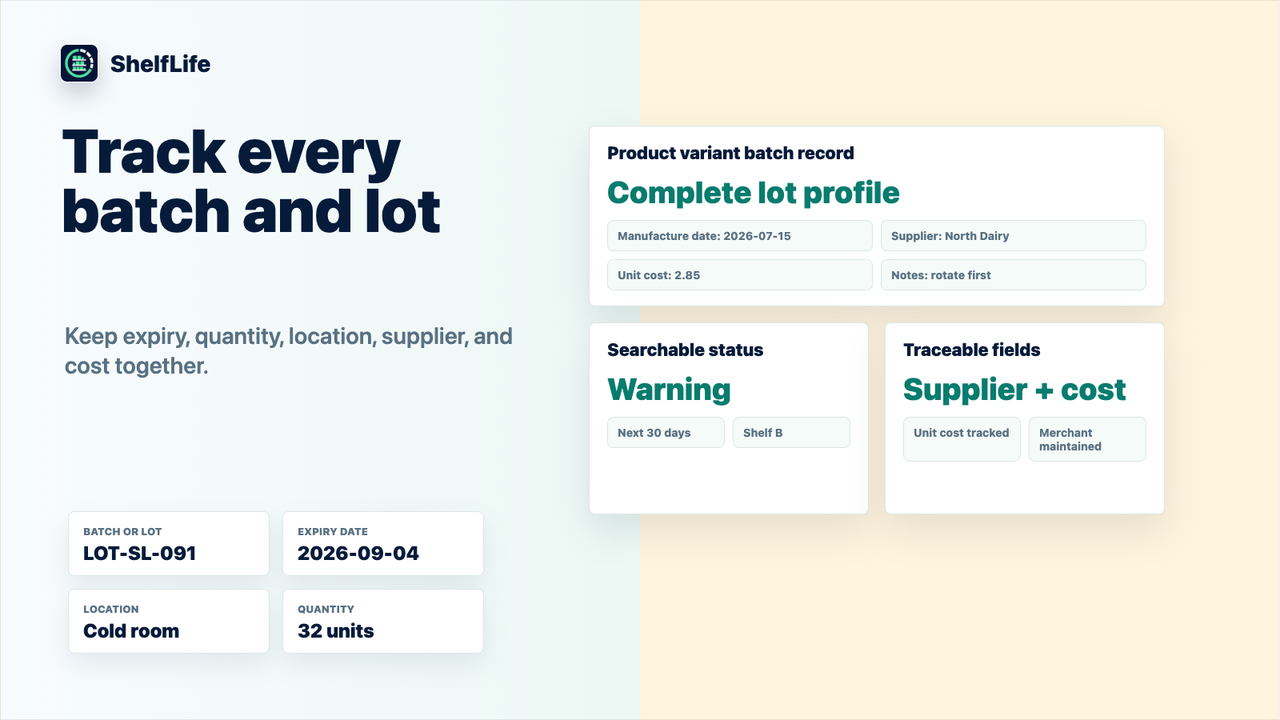
Record the product variant, lot, supplier, location, quantity, manufacture date, and expiry date.
 ShelfLife
Keep expiry dates, batches, suppliers, and locations together. Review stock at risk, plan what to pick first, and keep traceability records close at hand.
Free plan · Paid plans from $14/month
14-day free trial on Standard and Pro
Record the product variant, lot, supplier, location, quantity, manufacture date, and expiry date.
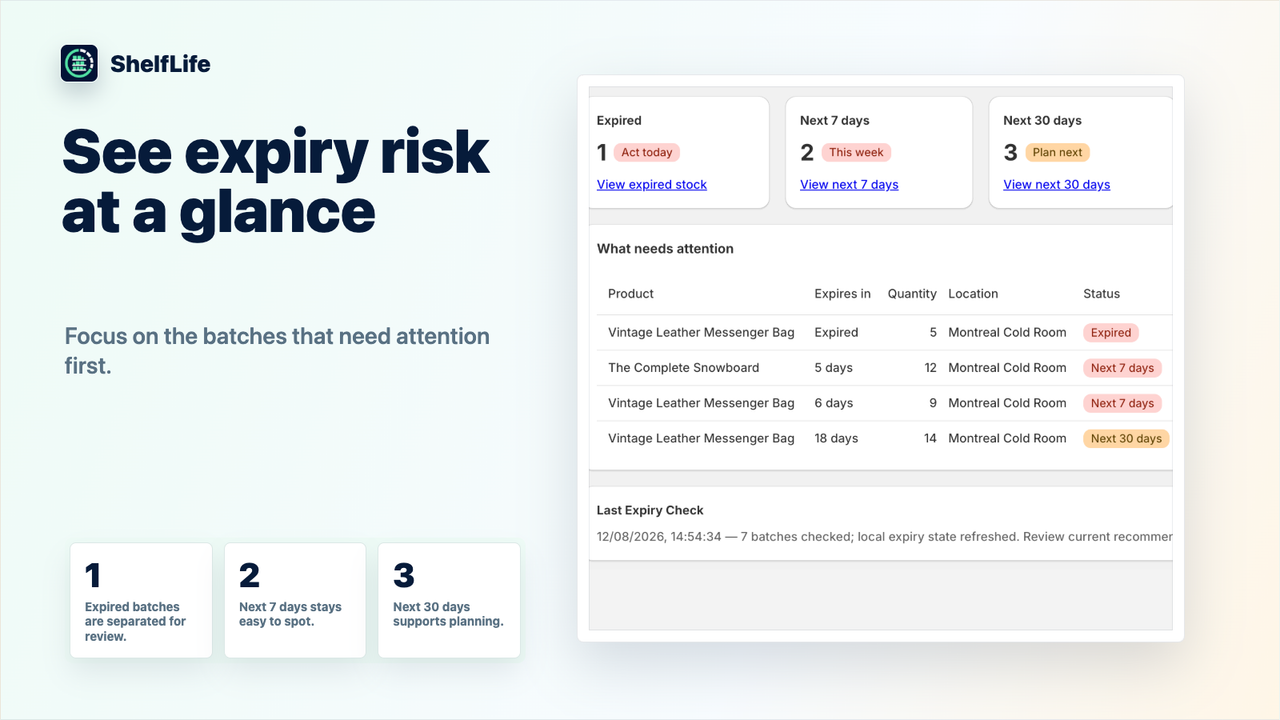
Run expiry checks and review warning, urgent, and expired stock with waste and activity reports.
Standard adds opt-in expiry emails and a weekly digest, with alert settings you control.
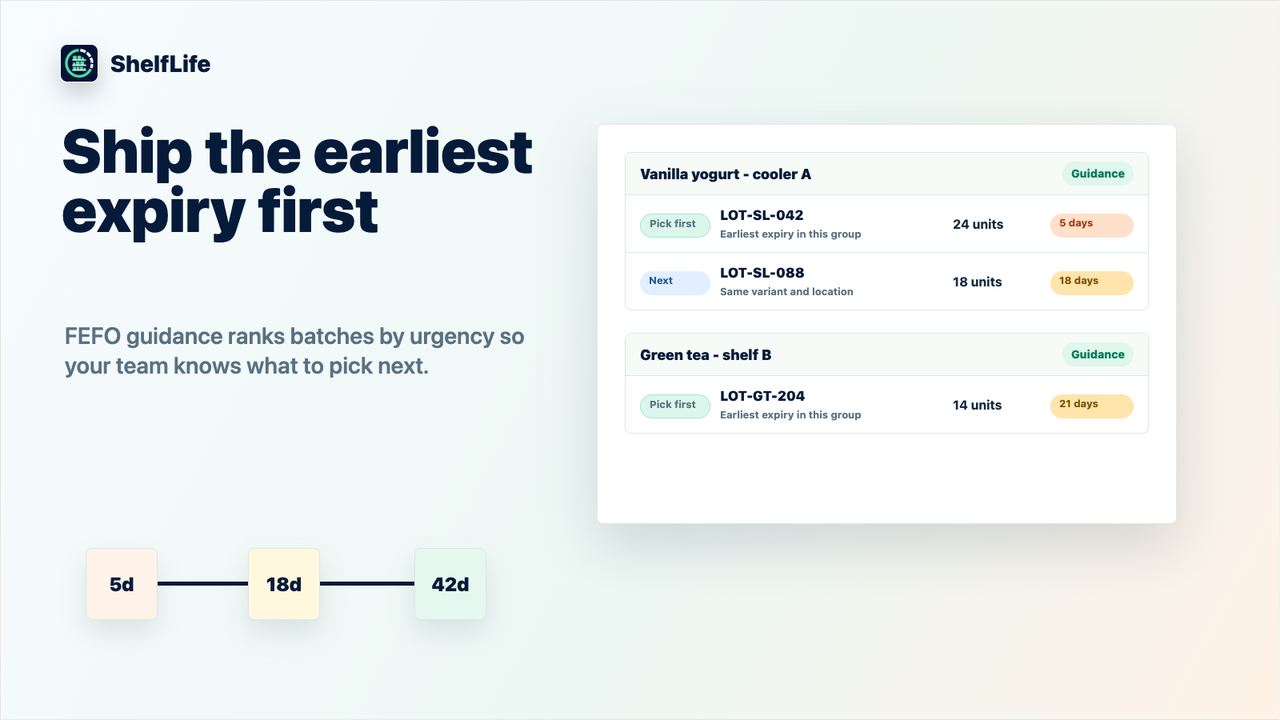
Pro provides location-aware first-expired, first-out (FEFO) picking guidance.
Pro adds CSV import with preview and validation, plus inventory and supplier exports.
Use Pro reports to review supplier shelf life and the batches relevant to a product or recall investigation.
Open any image to view the details. Screenshots show example data and the interface published in our Shopify listing.
Install from Shopify and record up to 25 batches or lots on Free. Include quantity, location, and expiry date.
Run an expiry check and review the batches that need attention. Update quantities as stock moves or is sold.
Use Standard for unlimited batches and optional alerts, or Pro for FEFO guidance, CSV tools, and supplier reporting.
All prices are in USD. Review current prices, trial eligibility, and billing terms on Shopify before subscribing.
Free
No subscription charge
$14 / month
or $140/year
14-day free trial
$29 / month
or $290/year
14-day free trial
Pricing checked September 13, 2026. See the Shopify listing.
Free supports up to 25 batches or lots. Standard and Pro each offer a 14-day free trial, with monthly and annual billing options. Shopify shows the terms before you approve a subscription.
Merchants maintain quantities in ShelfLife. Update batch records as inventory moves or is sold so expiry reports and picking guidance reflect your records.
First-expired, first-out guidance helps you identify which batches to pick first by expiry date and location. It is available on Pro.
ShelfLife expiry alerts and weekly digests are opt-in features on Standard and Pro. Configure an alert address and enable the notifications you want.
Batch, supplier, and traceability records can help you investigate affected stock. Their usefulness depends on the records you maintain; you remain responsible for recall decisions and execution.
Uninstall starts cleanup of your batch, settings, alert, session, and measurement records. Limited protected identifiers can remain to prevent delayed work from recreating erased data. Use available cleanup controls for Shopify-hosted copies while the app is still installed; after uninstall it no longer has Shopify Admin access. Our privacy policy explains these boundaries.
Read the ShelfLife privacy disclosure and subscription terms, or contact [email protected] for help.