Product batch tracking and FEFO for Shopify
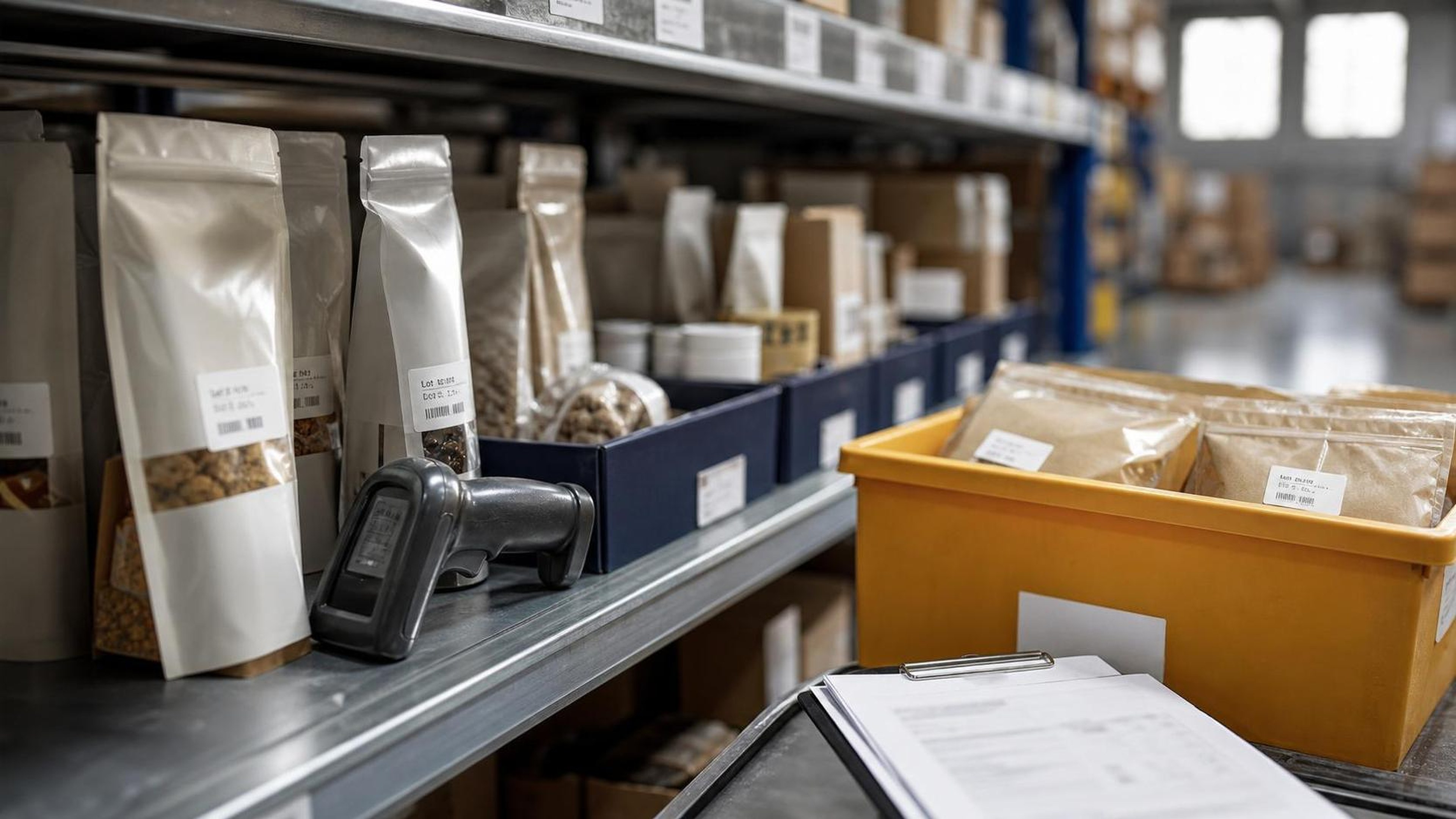
Shopify is excellent at selling individual SKUs. It is less opinionated about what happens after a merchant buys, receives, stores, picks, and ships physical inventory that ages. For many stores, that gap is harmless. A mug, poster, phone case, or wrench does not usually need lot-level rotation. But for food, supplements, cosmetics, pet products, medical-adjacent goods, seeds, chemicals, and other date-sensitive products, a plain SKU count is not enough.
Those merchants need product batch tracking and FEFO.
Batch tracking records which lot, batch, or production run a unit belongs to. FEFO, short for first-expired, first-out, is the inventory rotation method that prioritizes stock with the earliest expiry or best-before date. Together, they help Shopify merchants reduce waste, catch aging inventory before it becomes unsellable, and respond faster when a supplier, manufacturer, or regulator identifies a safety issue.
This guide explains how batch tracking and FEFO work in a Shopify operation, what data to capture, how to design a practical workflow, and where apps such as ShelfLife fit.
Quick answer
Product batch tracking gives each lot or production run its own record, while FEFO tells the team to pick the earliest-expiring eligible batch first. Shopify merchants selling dated goods should capture lot code, expiry date, received quantity, location, and shipped batch history so aging stock, supplier notices, and recall workflows are not rebuilt from spreadsheets after the fact.
What product batch tracking means
Product batch tracking is the practice of attaching inventory movement to a batch identifier, lot number, production code, expiry date, best-before date, or receiving date.
In a simple Shopify setup, a merchant may know that a location has 120 units of a SKU. Batch tracking answers the more useful operational questions:
- Which 120 units are they?
- Were they received in one shipment or several?
- Which supplier shipment did they come from?
- Which units expire first?
- Which customers received units from batch A rather than batch B?
- How many units remain from a batch that may need to be pulled?
The exact term varies by industry. Food and supplement teams often say "lot" or "batch." Beauty brands may use batch codes. Warehouses may talk about production runs, received lots, or expiry groups. The important point is that inventory is no longer treated as one undifferentiated pool.
What FEFO means
FEFO means first-expired, first-out. When an order is picked, the earliest-expiring eligible batch should be selected before later-expiring stock.
FEFO is different from FIFO, which means first-in, first-out. FIFO rotates stock based on receiving date. FEFO rotates stock based on expiry or best-before date. In many operations those are close enough, but not always. A later supplier delivery might contain older production stock than an earlier delivery. A return might re-enter inventory with less shelf life than the units around it. A purchase order might include mixed lots with different dates.
For date-sensitive Shopify stores, FEFO is usually the stronger rule because it is anchored to sellable life rather than warehouse chronology.
Why Shopify merchants need more than SKU inventory
Shopify's native inventory model is built around products, variants, locations, and available quantities. That is enough for many stores, but it does not by itself create a batch ledger or a FEFO picking rule.
A merchant selling shelf-stable snacks, skincare, vitamins, tea, coffee, perishables, or pet treats may need to know that the same Shopify variant exists in several different batches. Each batch may have a different expiry date, received quantity, available quantity, quarantine status, supplier, certificate, or recall risk.
Without batch tracking, teams often fall back to spreadsheets, warehouse notes, or tribal knowledge. That can work when order volume is tiny. It becomes fragile as soon as there are multiple staff, multiple locations, subscriptions, wholesale orders, bundles, returns, or third-party logistics handoffs.
The risk is not only compliance. The everyday business impact is usually more immediate:
- Products expire in the back of the shelf while newer units ship first.
- Support cannot confidently answer which customers received a specific lot.
- Discounting happens too late because aging stock is invisible.
- Purchase planning overstates sellable stock.
- Staff pick the easiest box rather than the right batch.
- Recalls take longer because customer order history is not tied to lots.
Good batch tracking turns those problems into operating rules.
A practical Shopify batch data model
You do not need an enterprise warehouse system to start. You need a clean record for each batch and a disciplined way to connect that record to inventory movement. Shopify's own product model centers on products, variants, inventory items, and locations, so batch-specific records usually need to be layered into the merchant's app, warehouse, or operating process rather than assumed from a variant quantity alone. See Shopify's developer references for Product[1], ProductVariant[2], and InventoryLevel[3].
For each batch, capture at least:
- Shopify product and variant
- Batch or lot code
- Expiry date, best-before date, or use-by date
- Received date
- Original received quantity
- Current available quantity
- Location
- Supplier or manufacturer
- Status, such as active, hold, quarantine, depleted, expired, or recalled
For more regulated or higher-risk categories, add:
- Purchase order or invoice reference
- Certificate of analysis link
- Country of origin
- Manufacturing date
- Storage condition
- Internal notes
- Recall or withdrawal reference
- Disposition notes for discarded stock
The goal is not to collect data for its own sake. The goal is to make every operational decision answerable: what can we sell, what should we ship first, what needs review, and what happened to each batch?
How FEFO should work in the order flow
A good FEFO workflow starts before the order is picked.
When inventory is received, each batch should be created or updated with its expiry date and quantity. If a delivery contains mixed dates, split it into separate batch records. Do not hide mixed lots under one receiving line; that is where rotation errors begin.
When stock is put away, the physical warehouse should reflect the FEFO rule. Earlier-expiring stock should be easier to pick, clearly labeled, or stored in the correct forward-pick position. Software cannot fix a shelf that is physically arranged in the wrong order.
When an order is ready to fulfill, the picker should see the preferred batch. Ideally, the system should allocate the earliest-expiring eligible batch automatically. If automatic allocation is not possible, it should at least show staff the batch priority clearly enough that the correct choice is obvious.
When the order ships, the chosen batch should be deducted and associated with the order. This is the step that creates traceability. Without it, the merchant may know what batches existed, but not which customers received them.
When stock expires, the batch should be removed from sellable availability, marked expired, and either discarded, returned, donated where legally appropriate, or otherwise handled according to the merchant's policy.
Example: a Shopify store selling coffee concentrates
Imagine a Shopify store sells a bottled coffee concentrate with a twelve-month best-before date. The store receives three batches of the same variant. The example below is operational, not legal guidance; for food categories, official food traceability and recall context should come from sources such as the FDA's FSMA Food Traceability Rule[4] and FDA recall and safety alert[5] resources.
- Batch C0426, expires April 2026, 180 units
- Batch C0626, expires June 2026, 240 units
- Batch C0926, expires September 2026, 300 units
The Shopify product page may show one variant. But operationally, these are three different inventory pools.
Under FEFO, orders should draw from C0426 first. If a wholesale order needs 200 units, the team may ship 180 units from C0426 and 20 from C0626, recording both lots against the fulfillment. If batch C0626 is later affected by a supplier notice, the store can search for orders that received that batch and contact only the relevant customers.
Without batch-level history, the same situation becomes guesswork. The team may have to notify more customers than necessary, inspect more inventory than necessary, and spend more time reconstructing what happened.
Recall and food-safety context
For food and similar products, official guidance consistently emphasizes traceability, records, and fast identification of affected products. The FDA's Food Traceability Rule under FSMA establishes additional recordkeeping requirements for foods on the Food Traceability List. Even when a Shopify merchant is not directly covered by that rule, the operational lesson is useful: better records make it easier to identify where food came from and where it went.
The FDA also maintains recall and safety alert pages, and openFDA provides enforcement report data that can be searched programmatically. USDA FSIS publishes recalls for meat, poultry, and egg products. CDC outbreak pages explain why fast product identification matters when public-health investigations are underway.
Shopify merchants should not treat a batch tracking app as a substitute for legal advice or a formal food-safety plan. But they should treat batch records as an important part of operational readiness. If a supplier calls about a lot code, the merchant should not be opening spreadsheets, old packing slips, and Slack threads hoping to piece together the answer.
How to implement batch tracking in Shopify
Start with the narrowest workflow that removes the biggest risk. Most teams do not need to redesign the whole operation in one week.
1. Decide which products need batch control
Not every SKU needs batch tracking. Prioritize products with expiry dates, best-before dates, supplier lot numbers, safety risk, regulatory sensitivity, seasonal freshness, or high return cost.
Create a simple policy:
- Batch required for all food, supplements, cosmetics, pet consumables, and dated goods
- Batch optional for durable goods
- Batch not required for merchandise with no shelf-life concern
This prevents the process from feeling heavier than it needs to be.
2. Standardize the batch code
Use the supplier or manufacturer lot code when it exists. If you create internal codes, keep them readable and consistent. For example:
SKU-YYYYMMDD-SUPPLIER-SEQ
Do not rely only on a handwritten note or a date in a staff member's memory. The batch code should appear on receiving records, shelf labels, pick instructions, and any internal recall workflow.
3. Capture expiry at receiving
The receiving step is the best moment to capture batch data because the box, label, packing slip, and staff action are all in one place.
Receiving staff should:
- Check whether the product requires batch tracking
- Record the lot or batch code
- Record expiry or best-before date
- Split mixed lots into separate records
- Put any questionable stock on hold
- Label or store the batch so FEFO can work physically
Skipping this step creates expensive cleanup later.
4. Make FEFO visible during picking
The picker should not have to infer the right batch. FEFO should be visible in the pick list, app screen, packing station, or warehouse instruction. If the merchant uses a 3PL, the batch rule needs to be part of the handoff.
The most common failure mode is a system that records batches but does not influence fulfillment. That creates a nice database but little operational benefit. The batch system must affect what gets shipped.
5. Record batch shipped per order
When an order is fulfilled, record which batch or batches were shipped. This is essential for traceability and customer support.
For split shipments, bundles, and subscriptions, make sure the batch record follows the actual item shipped. A subscription order is not special from a safety perspective; it still needs the same batch history as a one-time order.
6. Review aging inventory weekly
FEFO reduces waste, but it does not eliminate it. Someone should review aging inventory on a regular cadence.
Useful views include:
- Batches expiring in 30, 60, and 90 days
- Batches on hold
- Batches with high quantity and low sales velocity
- Expired batches still showing available quantity
- Products with no expiry data even though batch tracking is required
This is where batch tracking becomes a margin tool, not only a safety tool. Earlier visibility gives the merchant more options: merchandising, discounts, wholesale liquidation, supplier conversations, or production changes.
Common mistakes to avoid
The first mistake is treating FEFO as a spreadsheet exercise. A spreadsheet can hold batch data, but it usually does not live inside the picking workflow. If staff have to check a separate file while packing orders, the process will drift.
The second mistake is tracking expiry dates without tracking shipped batches. Knowing what expired in the warehouse is useful. Knowing which customers received which batch is much more useful when a problem appears after fulfillment.
The third mistake is ignoring returns. Returned consumables often should not re-enter sellable stock, depending on the product and policy. If returns are restocked, they must keep their original batch identity and condition status.
The fourth mistake is using FIFO when FEFO is needed. Receiving date is not the same as expiry date. If the business promise depends on shelf life, use expiry as the primary rotation rule.
The fifth mistake is letting "available inventory" include stock that is expired, quarantined, damaged, recalled, or otherwise not sellable. Batch status should control whether stock can be allocated.
Where ShelfLife fits
ShelfLife is designed for Shopify merchants that need clearer control over dated inventory, batches, and sellable life. Instead of treating every unit of a variant as identical, a merchant can manage stock through batch records, expiry dates, and operational views that support FEFO decisions.
The value is strongest when a team is already feeling one of these pains:
- Staff are choosing lots manually during fulfillment
- Expiry tracking lives in spreadsheets
- Aging inventory surprises the team late
- Customer support cannot identify shipped lots
- The business needs a cleaner workflow before scaling wholesale, subscriptions, or multi-location fulfillment
For merchants importing goods, landed cost also matters. Shelf-life decisions and duty decisions are separate workflows, but both affect margin. For a supported U.S. scenario, the Attahir Labs free duty calculator can return a planning result only for exact caller-supplied inputs inside signed active coverage; it does not choose classification, origin, or program eligibility. Use CBP import guidance[6] and the USITC Harmonized Tariff Schedule[7] as the U.S. sources of truth. For Canadian imports, do not use a U.S. calculator result: verify the exact facts against CBSA customs tariff pages[9], WTO tariff resources[8], and a qualified customs professional.
Batch tracking checklist for Shopify teams
Use this checklist to audit your current setup:
- Every batch-controlled SKU is identified.
- Receiving staff capture lot code and expiry date before stock becomes sellable.
- Mixed-lot deliveries are split into separate batch records.
- Earlier-expiring stock is physically easier to pick.
- Pickers can see the FEFO batch priority.
- Fulfilled orders record the shipped batch.
- Expired and quarantined batches are excluded from sellable stock.
- Aging inventory is reviewed at least weekly.
- Supplier lot notices can be matched to inventory and orders.
- Recall, withdrawal, and customer-notification procedures are documented.
If several of those items are missing, the store is probably relying on luck more than process.
FAQ
What is the difference between batch tracking and lot tracking?
In everyday ecommerce operations, the terms are often used interchangeably. Both mean grouping inventory by a shared production, receiving, or supplier identifier. "Lot" is common in food, supplements, and regulated supply chains. "Batch" is common in manufacturing and merchant operations.
Is FEFO better than FIFO?
For products with expiry dates or best-before dates, FEFO is usually better because it prioritizes the earliest-expiring stock. FIFO is useful when receiving order is the best proxy for age, but it can fail when a later shipment contains older-dated goods.
Does Shopify support batch tracking natively?
Shopify supports products, variants, inventory quantities, and locations. Batch-level expiry workflows usually require an app, custom workflow, warehouse system, or external inventory process. Merchants should verify their exact Shopify plan, fulfillment stack, and app requirements before committing to a workflow.
Do I need batch tracking if my products only have best-before dates?
Often, yes. A best-before date may not mean the same thing as a safety expiration date, but it still affects customer experience, sellable life, discounts, and inventory planning. Batch tracking helps prevent newer stock from shipping while older stock sits unsold.
How often should a Shopify store review expiring inventory?
Weekly is a good starting cadence for most date-sensitive stores. Fast-moving or high-risk categories may need daily review. The key is to review early enough that the business still has choices.
What should happen when a batch expires?
The batch should be removed from sellable inventory, marked with an expired or unavailable status, and handled according to the merchant's product category, supplier rules, local law, and internal policy. Do not let expired stock remain available for order allocation.
Can batch tracking help with recalls?
Yes. Batch tracking can help identify affected inventory and customers more quickly. It does not replace official recall procedures, legal advice, or food-safety obligations, but it gives the team better records when a supplier or regulator identifies a lot-level issue.
How should bundles be handled?
Each component in a bundle should keep its own batch identity. If a bundle contains three consumable items, the fulfillment record should capture the batch shipped for each component, not only the parent bundle SKU.
Disclaimer
This article is for general operational education and is not legal, regulatory, food-safety, or professional compliance advice. Requirements vary by product, jurisdiction, role in the supply chain, and business model. Consult qualified counsel, food-safety professionals, suppliers, and applicable regulators before making compliance decisions.